
3D Elevator Cabin Software: A Solution for Product Visualization
By Liftmira Engineering, Engineering Team · 4 min read · Updated Nov 10, 2026
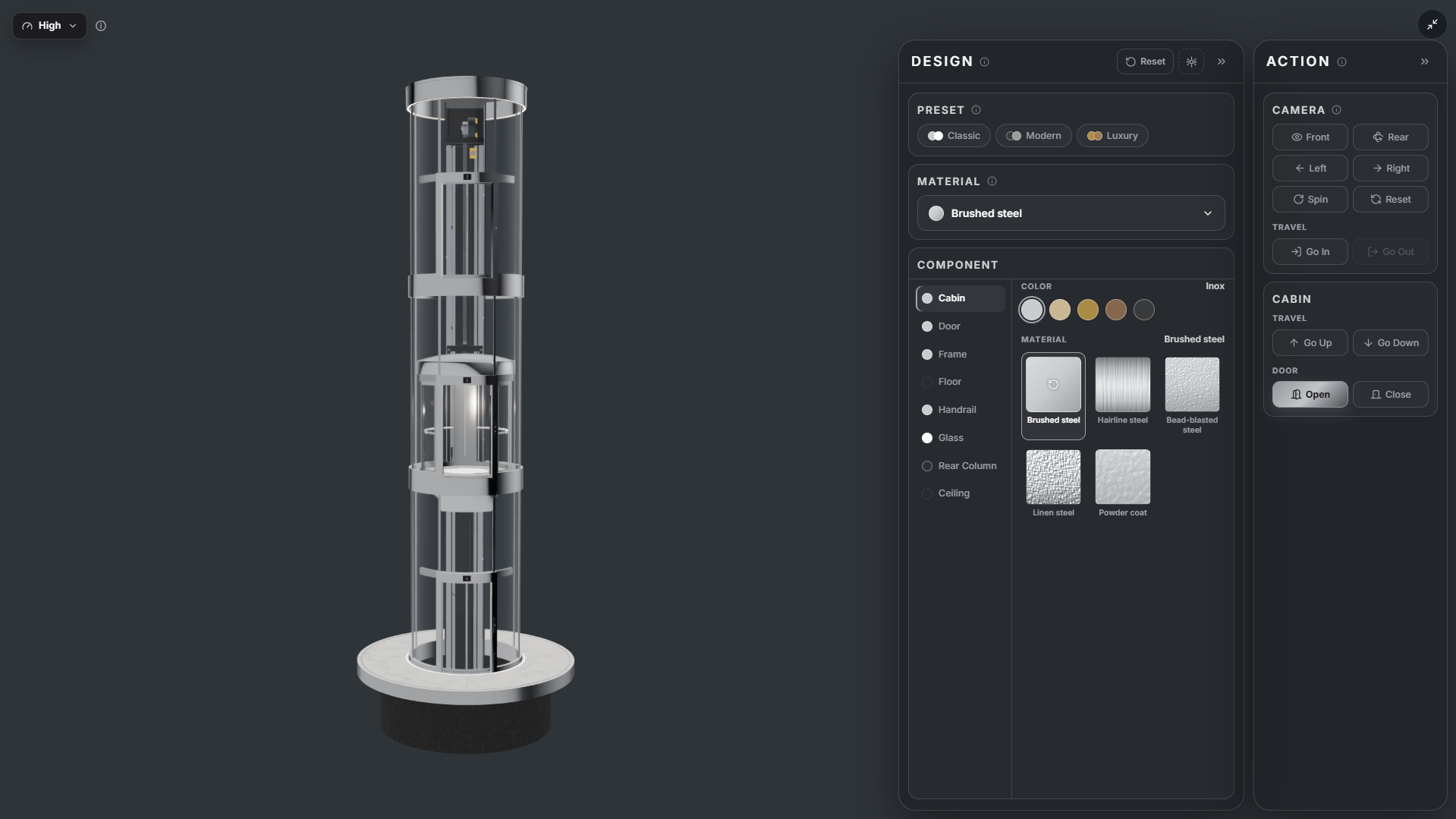
Why Do Elevator Businesses Need a 3D Cabin Presentation Tool?
The cabin is one of the easiest parts of an elevator for customers to see and evaluate when choosing a system. Wall colors, floor materials, ceiling design, glass, and lighting all contribute to the product’s overall appearance.
However, presenting these elements through catalogs, material samples, or 2D images may not always be enough for customers to picture a complete cabin accurately.
A sample board can show the color and surface of each material. A photo can show the design of one specific option. But when the elements are combined, customers still need to imagine how the whole space will look together.
This is one reason 3D technology is attracting greater interest in elevator product presentations.
What Is 3D Elevator Cabin Software?
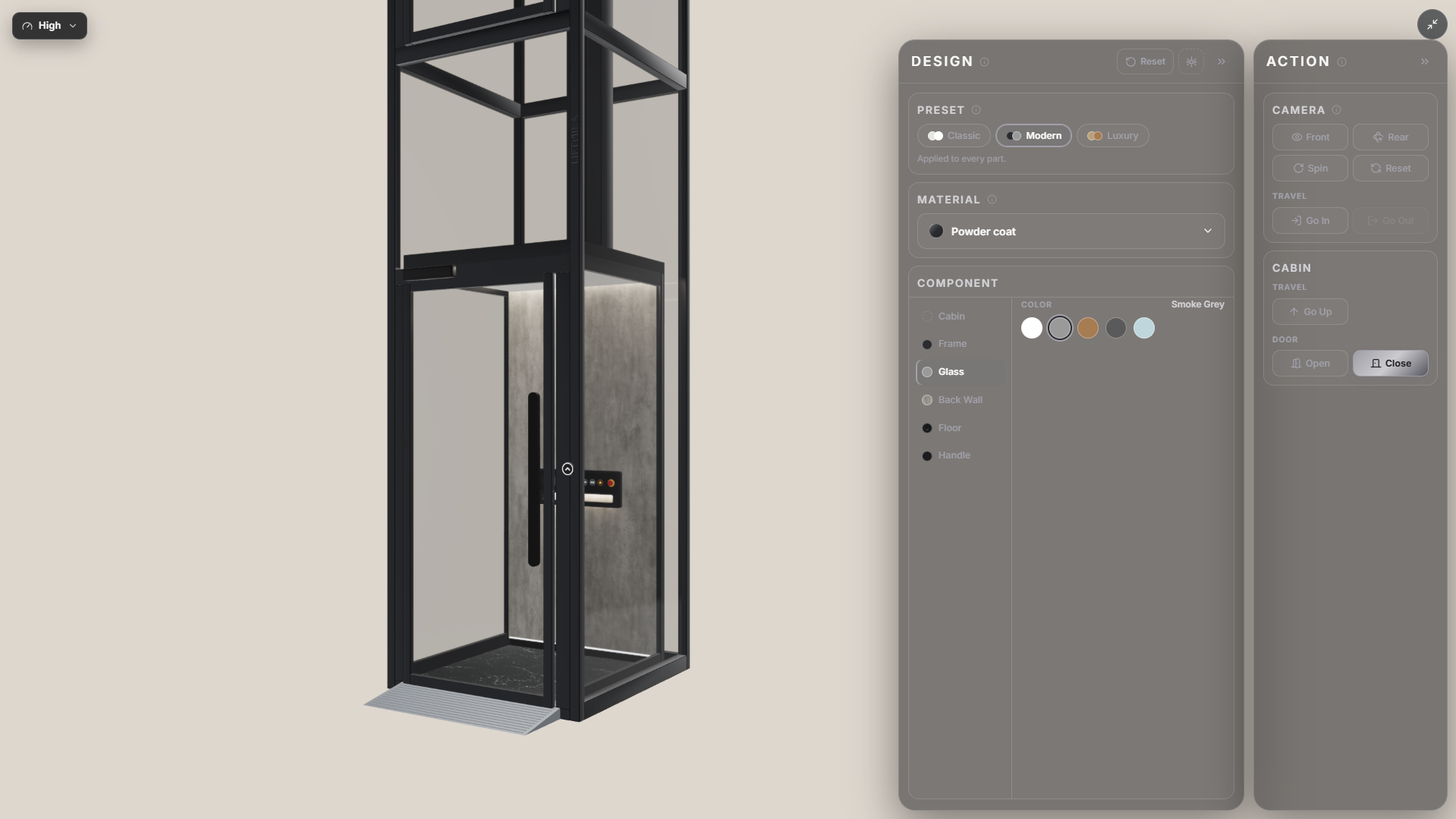
3D elevator cabin software is a category of tools that use three-dimensional models to represent a cabin’s space and components.
Depending on the purpose, a tool may support technical design, modeling, visualization, or product presentation.
For product presentation, an interactive 3D tool typically aims to let users view a cabin from different angles and explore design options through an online interface.
Instead of viewing only a pre-built cabin option, users can interact with the model and see how it changes as they select different attributes.
What Features Can a 3D Cabin Presentation Tool Offer?
1. View the cabin from different angles
The ability to rotate the model lets users change the viewing angle, see the overall space, and examine the cabin’s interior components.
2. Zoom in on details
Users can zoom in on the model to examine areas or design details that may not be clear in an overall image.
3. Change colors and materials
For models that support customization, users can try options such as wall colors, glass colors, flooring patterns, and other finishes.
Changing the options directly on the model lets viewers see the differences instead of comparing several separate images.
4. Experience the cabin space
Some 3D presentation tools also let users change the viewing angle and experience entering or exiting the cabin, giving them a more visual sense of the interior space.
5. Integrate the model into a business website
When integrated into a website, a 3D cabin model can become part of the online product presentation experience.
Customers can access and explore the product without installing specialized design software on their computers.
Comparing Traditional Cabin Presentations with Interactive 3D Models
| Criteria | Catalogs and static images | Interactive 3D model |
|---|---|---|
| Viewing the product | From the provided viewing angles | Users can change the viewing angle |
| Exploring details | View separate images | Zoom in on the model |
| Exploring options | Compare multiple images or sample boards | Change options on the model, where supported |
| Online experience | Primarily view the content | Interact directly with the model |
| Updating content | Replace or add materials | Update the model and configuration through the system |
The two formats do not necessarily have to replace one another. Catalogs still provide specifications, technical information, and reference materials. Interactive 3D models add a more visual way to experience the product.
Liftmira: Interactive 3D Software for Elevator Cabin Presentation
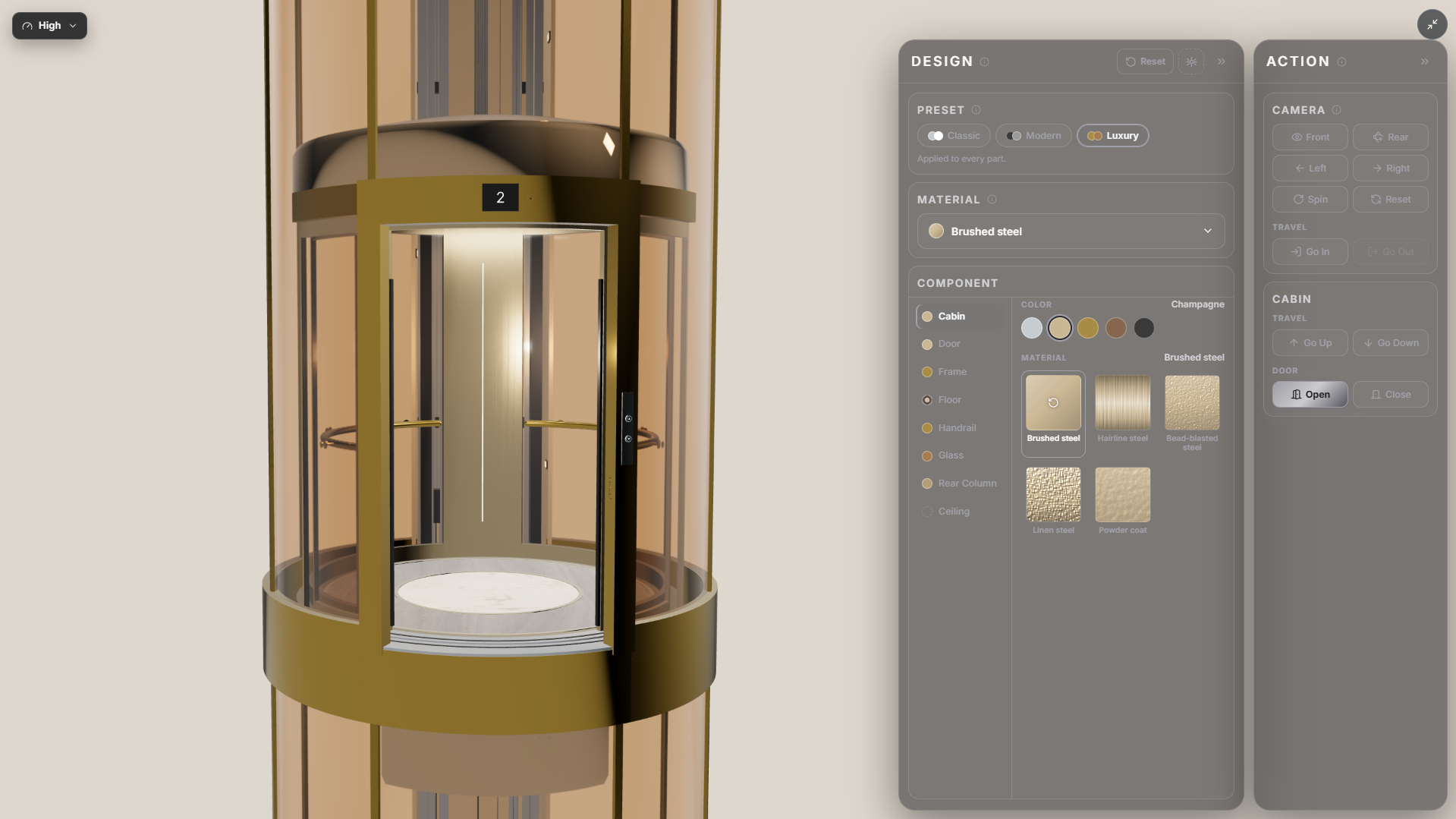
**Liftmira **is a solution developed by Comnosoft for elevator manufacturers, distributors, and installation businesses.
The solution focuses on bringing interactive 3D cabin models to business websites, where customers can explore products through direct interaction.
With a supported model, users can:
-
Rotate the cabin left or right.
-
Zoom in to examine details.
-
Experience entering and exiting the cabin.
-
Explore material and color combinations configured in the model.
-
Change cabin colors, glass colors, flooring patterns, and more.
This gives businesses an additional tool for presenting product options more visually.
Which businesses is Liftmira suited to?
- **Elevator manufacturers: **Use 3D models to present cabin ranges and product finish options.
- **Elevator distributors: **Add a visual aid when advising customers and presenting cabin options.
- **Elevator installation businesses: **Use the 3D experience as a tool for presenting products during customer discussions.
The available customization depends on the model and the attributes configured for each business.
Conclusion
3D elevator cabin software does more than show a product in three dimensions. It also offers a different approach to product presentation and consultation.
For businesses looking to enhance the product experience on their websites, interactive 3D models are an option worth considering.
**Experience Liftmira’s 3D solution: **https://liftmira.com/en/demo
Liftmira Engineering The Liftmira Engineering team builds and maintains the platform, SDKs, APIs, and infrastructure that power immersive 3D commerce experiences. We publish technical guides, integration tutorials, architecture deep dives, and product updates for developers.